
Apple has announced updates to Creator Studio, its subscription bundle of creative apps. The suite includes Final Cut Pro, Logic Pro, Pixelmator Pro, Motion, Compressor, MainStage, Keynote and Pages.
Motion VFX
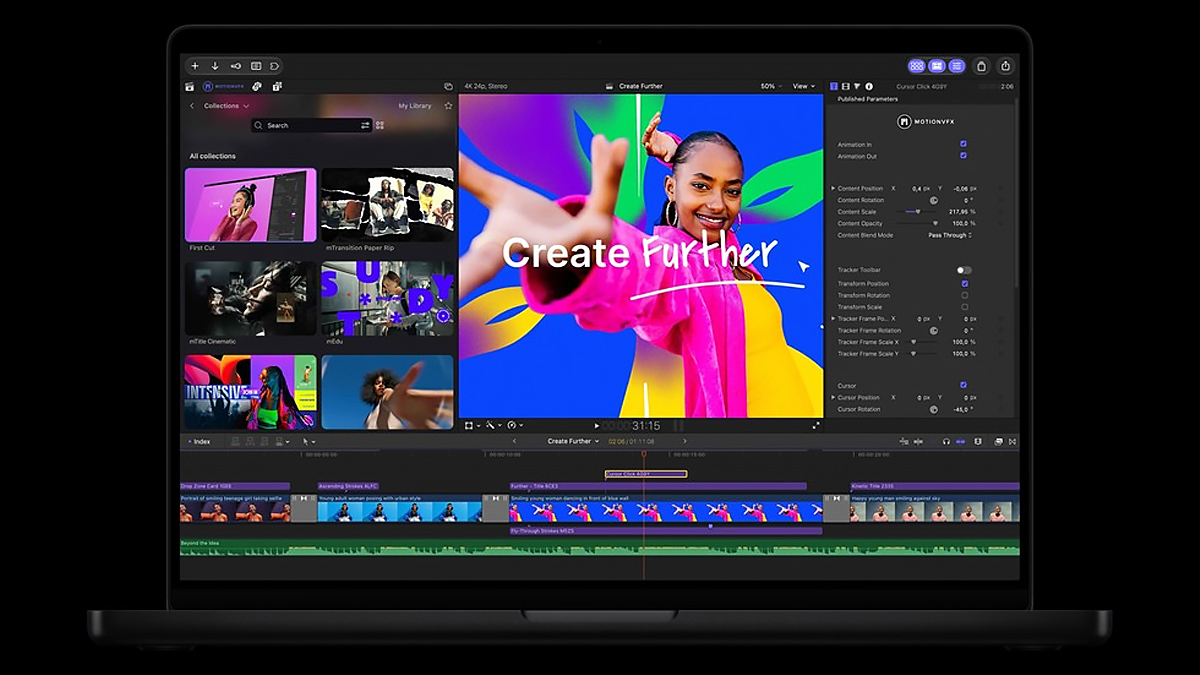
The headline for video editors is MotionVFX, now built into Final Cut Pro. It adds thousands of elements, including templates with unique themes, graphics, titles and transitions. Tools for rotoscoping, tracking and color grading come along too.
The Content Hub now lives inside Final Cut Pro as well. You can pull Apple-curated stock video, photos and backgrounds into a project without leaving the app.
Other Final Cut Pro improvements
You can open any image from your timeline in Pixelmator Pro, edit it and save it back to Final Cut Pro with no need to reimport. Image generation lets you create pictures from text descriptions inside a project.
Final Cut Pro also adds more keyframe easing options and lets you move connected clips anywhere on the timeline. The app now supports 23 new transcription languages.
Motion and Compressor
Motion gains MotionVFX plug-ins for cinematic color grading, 3D camera tracking and one-click selection for visual effects. It also adds Pixelmator Pro round trips, image generation from text prompts and keyframe easing, as in Final Cut Pro. A new Displacement filter joins the lineup.
Compressor can now encode Cinematic mode video recorded on the iPhone 18 Pro and iPhone Duo.
Pixelmator Pro
Pixelmator Pro adds Generate Fill, which edits images based on a text prompt. Circle an area and describe the change you want. You can pair it with selection tools such as Free Selection, Quick Selection or Magnetic Selection.
Generate Fill matches the lighting, perspective and texture of the surrounding area so new content blends in. Built-in Super Resolution upscales generated content so it stays sharp at any size.
Logic Pro
Logic Pro gets a Liquid Glass redesign and a batch of new tools. A new assistant, in beta, runs on a mix of Apple-built and third-party AI models. It can help you navigate production workflows, start a song, set up a vocal track from one prompt or refine a project. It needs macOS 27 and an Apple Intelligence-capable Mac, and it supports U.S. English only.
A redesigned Browser centralizes loops, instruments and effect patches so you can find sounds faster. Stem Splitter can now isolate, replace or rebalance drum parts without the original multitracks.
In-app intelligence
Keynote, Pages and Numbers get beta assistants built on Apple models and OpenAI. In Keynote, the assistant helps design, animate and refine slides. Pages drafts and restructures your writing. Numbers calculates, visualizes and organizes data.
The Mac versions also add MCP support, so outside AI agents can read and edit content.
What we think
Creator Studio is Apple’s answer to Adobe’s Creative Cloud, and until now it has trailed. These updates narrow the gap. MotionVFX is a big boost for editors working in Final Cut Pro, and the tighter link with Pixelmator Pro makes for a smoother image workflow.
Adobe has been busy too, adding apps from Topaz AI to Creative Cloud. The competition between Apple and Adobe is delivering a steady stream of new features to subscribers on both sides.
Pricing and availability
The updates arrive on the App Store in November as a free update for existing subscribers. Creator Studio costs $13 a month or $129 a year, with a one-month free trial. Students and educators pay $3 a month or $30 a year.

