
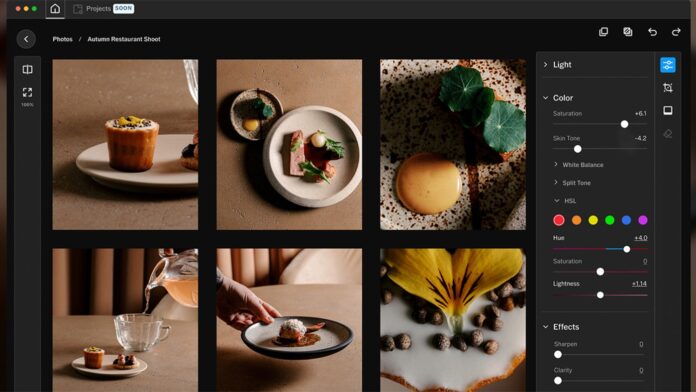
VSCO has launched its first stand-alone photo editor for the Mac. Studio Pro Desktop takes the company’s iPhone app, Studio Pro, and rebuilds it for macOS with RAW support and batch editing.
High-speed processing
VSCO pitches Studio Pro Desktop as a fast path from edit to delivery. Finished images go straight to clients through VSCO Galleries, so there’s no exporting and re-uploading to another platform.
Under the hood is VSCO’s new Reflex image engine. The company says it handles processing quickly and keeps editing responsive.
RAW editing
You can import RAW files straight from your camera or SD card. Apple Photos, local folders and external drives work too. Studio Pro Desktop supports more than 800 cameras from 20 brands, so your body is almost certainly covered.
Batch editing
Batch editing is the big selling point. Studio Pro Desktop can apply presets and adjustments to as many as 500 images at once, with changes showing up in real time. Edits are non-destructive. Your original files stay untouched.
Iconic presets
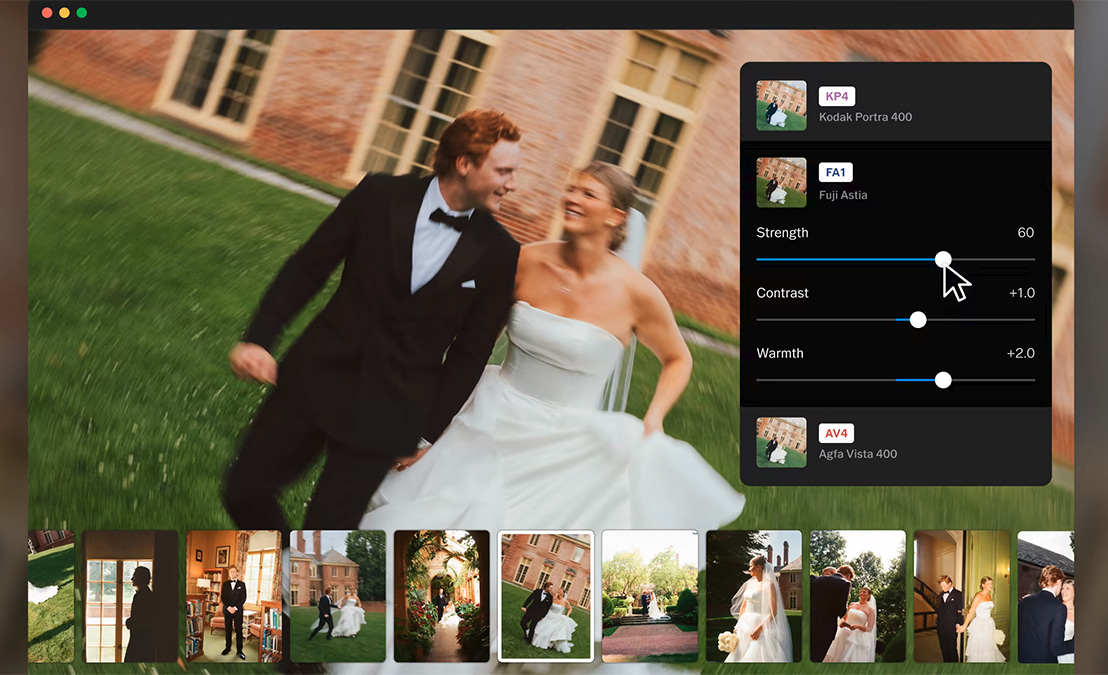
Presets built VSCO’s reputation, and its users lean on them heavily. According to CEO Eric Wittman, 75% of VSCO Pro members used the company’s presets in the past six months.
The desktop app ships with more than 200 of them. You get VSCO’s originals plus film-inspired looks based on Kodak Portra, Kodachrome, Fujifilm Velvia and Kodak Tri-X. Manual controls cover exposure, contrast, highlights, shadows, temperature, grain and more.
Instant previews
Instant previews show your adjustments as you make them. When you’re done, you can publish full-resolution images to Galleries without leaving the app.
What we think
Studio Pro has been a hit since it arrived on iPhone in June. Bringing it to the Mac makes sense, especially for photographers who already deliver through VSCO Galleries.
It won’t replace Adobe Lightroom for heavy masking or deep library management. That’s not the goal. Studio Pro Desktop is built for speed, letting you apply one look across hundreds of frames and ship them to a client.
Video shooters who also handle stills will find a use for it. Think behind-the-scenes photos, thumbnails or a client’s event gallery. Matching a film look across a batch takes minutes, not an afternoon. VSCO is a stills-only tool, though, so don’t expect it to grade your footage.
There are limits. The app needs an Apple Silicon Mac running macOS 14 Sonoma or later, and there’s no Windows version. The full feature set also sits behind a paywall. Still, the free download costs nothing to try.
Pricing and availability
Studio Pro Desktop is available now as a free download. Full editing tools, all presets, batch editing and unlimited galleries require a VSCO Pro or VSCO One membership. VSCO Pro starts at $5 per month or $60 per year.

